


April Fools' Day passes swiftly, leaving behind the harmless pranks and false alerts that make you question everything for a day.
But cybercriminals don't take a day off.
Spring marks a peak period for cyberattacks—not due to negligence but because people are busy, distracted, and hurrying through tasks. This creates the perfect environment for sophisticated scams that blend seamlessly into everyday work, going unnoticed until damage is done.
Below are three current scams targeting alert, hardworking employees trying to navigate their daily work.
As you read, honestly consider: Would everyone on my team recognize and stop these scams in time?
Scam #1: The Fake Toll or Parking Fee Text
An employee receives a message:
"You owe $6.99 for an unpaid toll. Pay within 12 hours to avoid penalties."
The scam mentions a real toll system like E-ZPass or SunPass, matching the employee's location. The small amount doesn't raise suspicion. In between meetings, they click the link, pay, and move on.
But the link is fraudulent.
In 2024, the FBI logged over 60,000 complaints about fake toll payment texts, with a 900% surge expected in 2025. Researchers have uncovered over 60,000 counterfeit domains mimicking state toll agencies—revealing how lucrative these schemes have become. Some even target residents in states without toll roads.
Why it works: $6 seems low-risk, and many people have recently encountered tolls or paid parking, making the message credible.
How to protect yourself: Official toll agencies never demand immediate payment via text. Organizations should enforce a strict policy: No payments through text links. Employees should verify any suspicious message by visiting the official website or app directly and never reply to such texts—even "STOP"—which confirms phone number activity and invites more scams.
Ease tempts, but strict procedure defends.
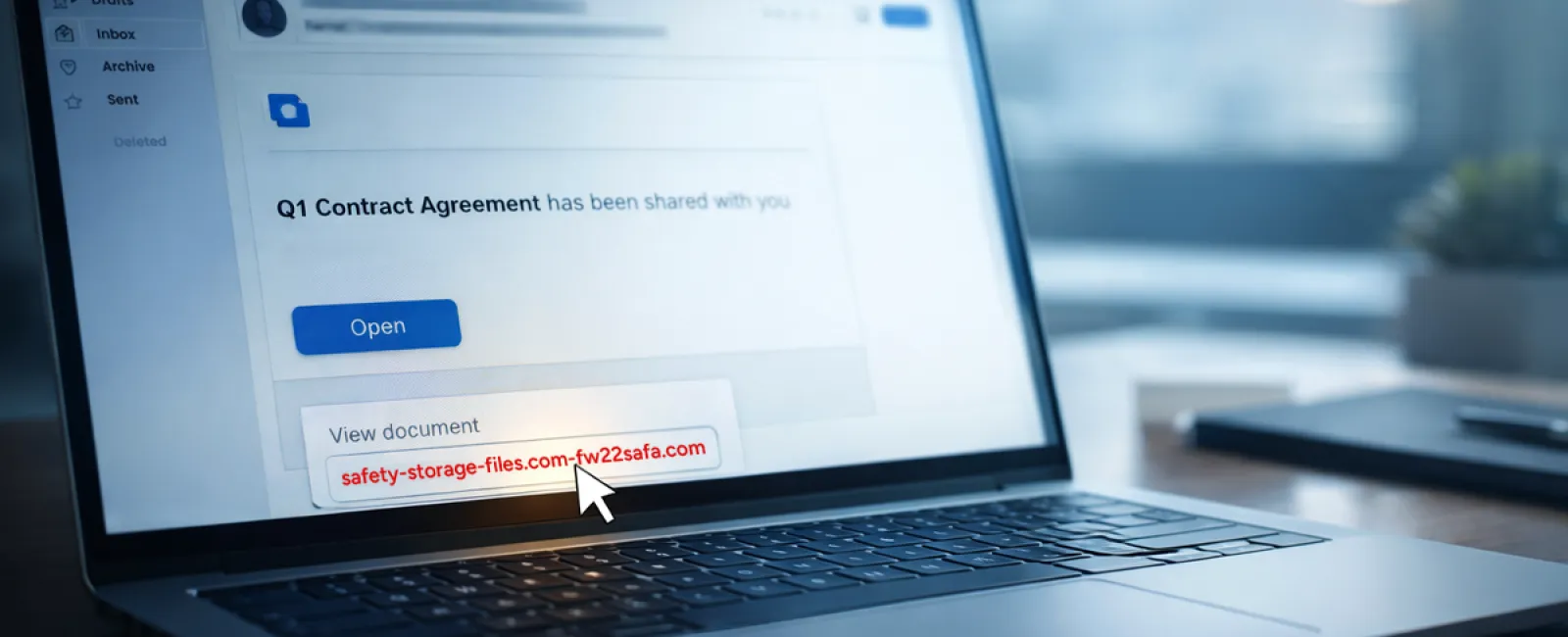
Scam #2: Fake "Your File Is Ready" Notification
This scam blends flawlessly with routine work.
Employees get emails claiming someone shared a document—often a contract via DocuSign, a spreadsheet on OneDrive, or a file in Google Drive.
The sender's name and email layout appear legitimate and familiar.
Upon clicking, they're asked to log in and enter credentials.
Now, hackers hold their login info and access the company's cloud environment.
These attacks have skyrocketed. According to KnowBe4's Threat Labs, phishing scams exploiting trusted platforms increased 67% in 2025, with Google Slides-based phishing shots rising over 200% in just six months.
Employees are seven times more prone to click malicious links from trusted platforms like OneDrive, since notifications look identical to genuine ones.
Advanced attacks use compromised accounts to share files through the platform itself, sending real notifications from Google or Microsoft servers that bypass spam filters.
How to stay safe: If a shared file is unexpected, employees should avoid email links and instead log in directly via the platform's website. Authentic files will appear there. Companies should restrict external sharing and enable alerts for unusual login activity—quick settings your IT team can activate within minutes.
Consistent caution yields strong protection.
Scam #3: The Perfectly Polished Email
Gone are the days when scam emails were obvious due to poor grammar or formatting.
A recent 2025 academic study revealed AI-crafted phishing emails achieve a 54% click rate versus only 12% for human-written ones — more than four times higher. Why? Because these emails mimic real company names, roles, and workflows flawlessly, scraping data from LinkedIn and corporate websites in seconds.
Cybercriminals now target departments strategically: HR and payroll receive fake employee verifications; finance teams get vendor payment change requests. One test showed 72% of recipients engaged with vendor impersonation emails—a 90% higher rate than other phishing types. These messages are calm, professional, urgent without drama, resembling normal workday communication.
Guarding against this: Verify any request involving credentials, payments, or sensitive info through a second channel—a phone call, chat, or face-to-face check. Always hover over sender email addresses to confirm the domain before clicking. And treat any urgent emails with caution—the pressure itself is a red flag.
Genuine security doesn't force panic-induced clicks.
The Core Insight
These scams depend on being familiar, authoritative, timely, and assuming people will respond quickly.
The real threat isn't careless employees but processes that expect everyone to slow down, double-check, and make perfect decisions under stress.
When a rushed click can threaten your day, it's not a people issue—it's a process flaw.
And process flaws can be fixed.
How We Can Support You
Most business owners don't want cybersecurity to become a daunting, ongoing task or to personally train their teams on what dangers lurk.
They want peace of mind knowing their business is shielded from hidden threats.
If you're concerned about your team's exposure—or know someone who should be—let's talk.
Schedule a clear, no-pressure discovery call where we'll cover:
•
Current cyber risks facing businesses like yours
•
How vulnerabilities slip in through everyday activities
•
Effective strategies to minimize risks without disrupting productivity
We keep it straightforward—no gimmicks, just real solutions to protect your business.
Click here or give us a call at 407-278-5664 to schedule your free Discovery Call.
If this isn't relevant for you, please forward it to someone who'd appreciate the warning. Often, knowing what to watch for turns a near-miss into a safe stop.
